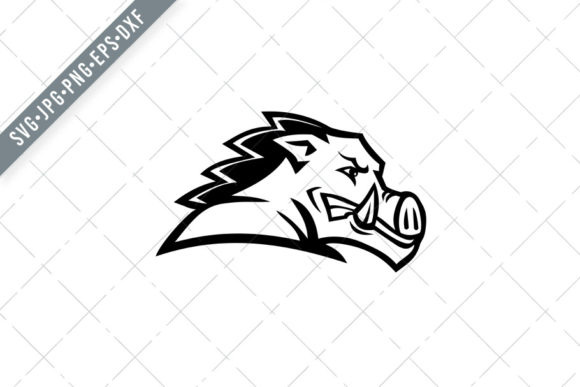
Red Wild Boar or Razorback Head: A Versatile Vector Illustration for Creative Projects
When you work with custom designs day in and day out, you quickly learn that the right graphic asset can make or break a project. The Red Wild Boar or Razorback Head illustration is one of those assets that earns its place in your digital toolkit. It is a bold, side-view black-and-white depiction of a half-wild pig breed common in the southern United States, and it comes in a complete set of industry-standard file formats. Whether you are planning a product launch, building a brand identity, or simply looking for a strong visual element for a personal craft, this vector illustration offers genuine versatility.
What Exactly Is the Red Wild Boar or Razorback Head Illustration?
This illustration is not a photograph or a low-resolution clip art image. It is a professionally drawn vector graphic that captures the distinctive profile of a red wild boar or razorback. The black-and-white treatment gives it a clean, high-contrast look that works equally well in digital and physical applications. The side view makes it easy to place on all kinds of surfaces, from mugs to T-shirts to wall art. Because it is delivered as a vector file, you can scale it to any size without losing sharpness, which is essential when you are producing items that range from small greeting cards to large banners.
Why the File Format Set Matters for Your Workflow
The download includes SVG, PNG, DXF, EPS, and JPG files. This is not just a convenience, it is a practical necessity for anyone who moves designs from screen to production. Each format serves a distinct purpose in a typical creative pipeline, and having them all ready means you spend less time converting files and more time executing your projects.
SVG for Cutting Machines
The SVG vector file is compatible with Silhouette Studio Cameo, Cricut, and similar cutting machines. If you produce vinyl decals, stencils, or layered paper crafts, this is the format you will use most. The clean vector paths ensure your cutting blade follows the exact contour of the boar head without jagged edges or unexpected breaks. You can import the SVG directly into your design software, adjust the size, and send it to the cutter with minimal setup.
PNG at 300 DPI for Print-Ready Use
The PNG file comes at 300 DPI and is sized at least 10 inches or larger. That resolution is the standard for commercial printing. If you are ordering T-shirts from a print-on-demand service or printing posters at a local shop, you need a PNG at this resolution to avoid pixelation. The transparent background in the PNG format also allows you to place the boar head over colored or patterned backgrounds without white boxes around it.
DXF for CAD and Laser Cutting
The DXF format is often overlooked, but it is invaluable if you work with laser cutters or CNC machines. Many laser engraving and cutting systems accept DXF files natively. If you plan to etch the boar head into wood, acrylic, or leather, the DXF file gives you precise vector geometry that the machine can interpret accurately. This opens up possibilities for custom signage, coasters, keychains, and decorative panels.
EPS for Professional Design Software
The EPS file is a standard format for professional vector editing software like Adobe Illustrator, CorelDRAW, and Affinity Designer. If you are a graphic designer or a small business owner who works with outside design partners, EPS files are widely accepted and easy to edit. You can change stroke weights, modify anchor points, or combine the boar head with other vector elements without degrading the image quality.
JPG for Quick Previews and Social Media
The JPG file is the easiest to share, preview, or upload to platforms that do not support vector formats. It is also useful for mockups and quick proofs. While JPG does not have a transparent background, it gives you a ready-for-display version that you can send to clients or print for internal review.
Where This Illustration Fits in Your Creative Process
Understanding where the razorback head illustration belongs in your workflow is as important as having the files. Here are several practical scenarios where it integrates smoothly into different phases of a project.
Planning and Concept Development
When you are brainstorming a new product line or a themed collection, visual references help you move from abstract ideas to concrete designs. The boar head can serve as a central motif for a Southern-inspired series, a hunting and outdoors brand, or a rustic décor line. During the planning phase, you might drop the SVG into mood boards, test color variations, or experiment with scale. Having the vector file from the start lets you explore layout options without committing to a final format.
Design and Production
Once you settle on a concept, the real work begins. The multiple file formats let you move from design to production without bottlenecks. Use the EPS or SVG in your design software to build the full artwork, adding text, borders, or complementary graphics. When the design is final, export the SVG for your cutting machine or send the high-resolution PNG to your printer. If you are producing a physical product like a wood sign, hand the DXF file to your laser cutter operator. The workflow stays smooth because you never have to recreate or redraw the illustration.
Quality Control and Scaling
Vector files are resolution-independent, which means you can scale the boar head from a small sticker to a large wall mural without any loss of detail. This is a significant advantage when you need to ensure uniform quality across multiple product sizes. For example, if you are launching a line of apparel, you might print the design on a small chest logo for T-shirts and also use a larger version for the back of a hoodie. With a raster image, you would need separate files for each size. With the vector, one file covers everything.
Long-Term Asset Management
Good design assets are reusable. After you finish a project, archive the files in a logical folder structure. Because you have all five formats, you can revisit the boar head illustration years later for a new campaign or product refresh without worrying about software compatibility. SVG and EPS are open standards that have been supported by design tools for decades, so your investment in this asset is protected.
Practical Implementation Tips for Common Projects
Knowing which file to use is only part of the equation. How you actually set up the file for different outputs can save you time and frustration. Here are some workflow-specific tips for common applications.
T-Shirts and Apparel
For screen printing, start with the EPS or SVG file. Open it in your vector software and convert the black-and-white artwork to the number of colors you want. Most screen printing shops require separations, and a vector file makes color separation straightforward. For direct-to-garment printing, use the 300 DPI PNG with a transparent background. Place it on your garment template and adjust the size to match the print area. If you are using a heat press with vinyl, import the SVG into your cutting machine software and mirror the design if needed.
Mugs and Drinkware
Mug printing often requires wrapping the design around a curved surface. Use the SVG or EPS in your design software to create a repeating pattern or a single focal image. Because the boar head is black and white, it works well with sublimation printing, where the design transfers onto the mug coating. Make sure to test the scale before production. A design that looks good on a flat screen might be too large or too small on a mug.
Stencils and Wall Art
For stencils, the SVG file is your best friend. Import it into your cutting machine software and adjust the line thickness if necessary. Thin lines can be fragile when cut from stencil material, so consider adding a small offset to widen the strokes. For wall art, you have two paths. Print the high-resolution PNG on photo paper for a frame-ready piece, or use the DXF file to cut the design from plywood or acrylic for a dimensional sign. Both methods produce a striking result because the silhouette is bold and recognizable.
Banners and Yard Signs
Large-format printing requires vector files for the best results. Use the EPS or SVG to scale the boar head to several feet wide. Because it is a black-and-white design, it prints well on vinyl banners, corrugated plastic signs, and fabric backdrops. Keep the contrast high by using a white background or a solid color that contrasts with the black silhouette. A 10-inch PNG is sufficient for smaller banners, but for anything larger than 24 inches, stick with the vector format.
Scrapbooking and Party Invitations
For paper crafts, the PNG file gives you the most flexibility. Import it into your design software and layer it with patterned paper, text, and other decorative elements. The transparent background lets you place the boar head over any background color without extra editing. If you are cutting shapes for a scrapbook page, use the SVG with your cutting machine to create precise silhouettes from cardstock.
Integration with Other Tools and Platforms
The Red Wild Boar illustration does not live in isolation. It works with a range of tools, platforms, and methods that you likely already use.
- Print-on-demand services: Upload the high-resolution PNG to platforms like Printful, Printify, or Redbubble. Because the image is black and white, it prints cleanly on a wide variety of products.
- Design software: Whether you use Adobe Creative Cloud, Affinity, Inkscape, or CorelDRAW, the EPS and SVG formats open with full vector editing capabilities.
- Laser engravers: Software like LightBurn or LaserGRBL can import DXF files directly, cutting down setup time.
- E-commerce platforms: Listings on Etsy, Shopify, or Amazon benefit from consistent branding. Use the boar head as a logo or decorative element across product images, packaging, and promotional graphics.
- Social media content: The JPG file is ready for sharing on Instagram, Facebook, or Pinterest. Use it in posts, stories, or as a profile avatar if the theme fits.
Preparation and Organization for Smooth Execution
Before you start a project, take a few minutes to organize your files. Unzip the download and place each format in a clearly named folder. If you work with multiple projects, copy the files into your project-specific asset folder so you are not digging through a master archive every time. Label the files with descriptive names that include the format and the subject, for example razorback-head-silhouette.svg. This sounds trivial, but when you are managing dozens of designs for different clients or product lines, good file naming saves minutes per session, and those minutes add up.
Consider creating a small style guide for the illustration. Note the original proportions, the recommended minimum size for print, and any color constraints if you plan to invert the black and white. If you expand into a full brand system, you will appreciate having these details documented early.
Efficiency and Consistency Across Projects
One of the overlooked benefits of a well-prepared vector asset is consistency. When you use the same illustration across multiple products, customers recognize the design and associate it with your work. The Red Wild Boar head, with its distinct silhouette and regional character, can become a signature element in your product line. By using the vector file as the source of truth, every item you produce has the same proportions, stroke weight, and overall feel. This level of consistency is difficult to achieve with raster images unless you carefully manage resolution and scaling.
From a productivity standpoint, having all five formats means you never need to open a converter. You download once, organize once, and pull the format you need when the project demands it. That is a small efficiency gain that compounds over dozens of projects.
Long-Term Use and Adaptability
Design trends change, software updates happen, and new production methods emerge. The Red Wild Boar illustration is built on a solid vector foundation, which gives it long-term viability. SVG and EPS have been design staples for decades, and they are not going away. If you switch from Cricut to a different cutting machine, the SVG still works. If you upgrade from CorelDRAW to Illustrator or Affinity, the EPS imports without issues. If you start experimenting with a new printing technique like UV printing or resin casting, the vector source gives you the cleanest output.
This adaptability makes the illustration a good investment for freelancers, small business owners, and hobbyists who want assets that stay useful. You are not buying a single-use graphic. You are buying a resource that can evolve with your skills and your business.
Final Observations on Practical Implementation
The Red Wild Boar or Razorback Head illustration is not complicated, but its value comes from how you integrate it into your actual work. Start with a clear idea of what you want to produce. Choose the file format that matches your output method. Test the size and placement before committing to a full production run. Keep the vector files accessible for future projects, and do not be afraid to modify the design to fit a specific product shape or branding guideline.
Whether you are screen printing T-shirts for a local hunting supply store, designing wedding invitations with a rustic Southern theme, or building a set of engraved coasters for an Etsy shop, this illustration gives you a reliable starting point. The formats, the resolution, and the clean black-and-white silhouette all contribute to a smooth process from concept to finished product. Spend a few minutes upfront planning your workflow, and the execution will follow with fewer surprises and better results.